Klaxon app icon
Klaxon for iPhone and iPad · by Faraday Soft

Calendar alarms you can't miss.

Calendar notifications are easy to swipe away. Klaxon turns the events that matter into real alarms that ring through silent mode and Focus, the same way the Clock app's alarms do.

The TestFlight link opens once Apple approves the beta. App Store soon. Free, no purchases. Needs iOS 26 or later.

// screens

An alarm, not a banner.

Shown with sample events. Swipe for more

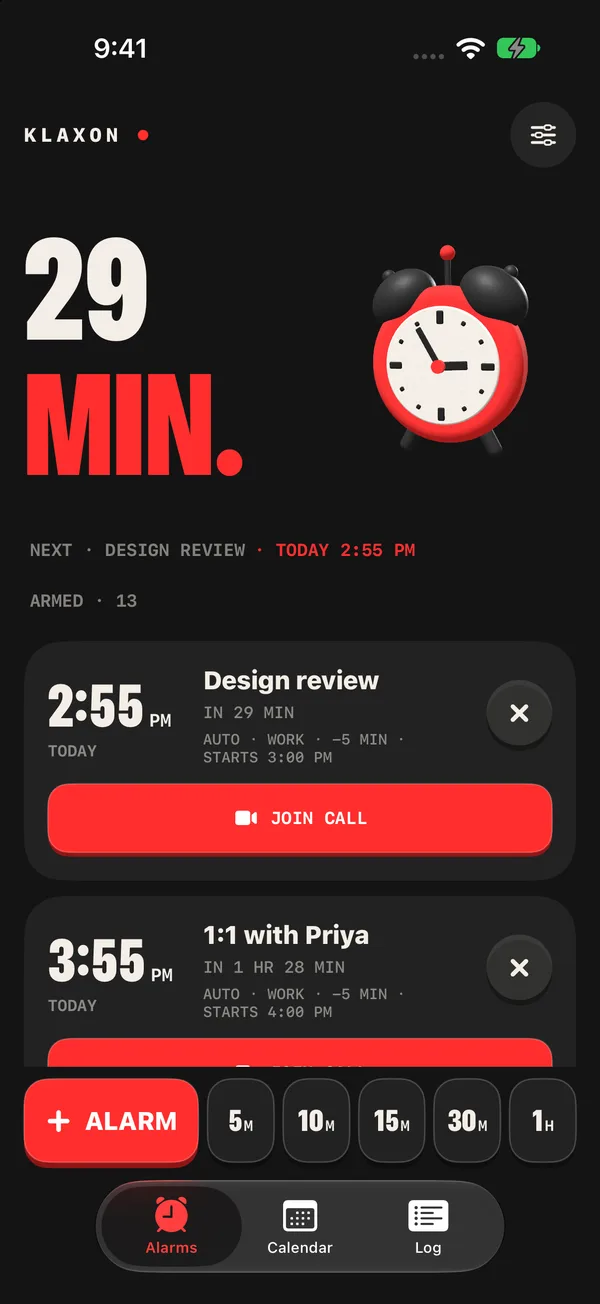
The Alarms tab with a countdown to the next meeting alarm, armed alarms, and quick timer buttons along the bottom
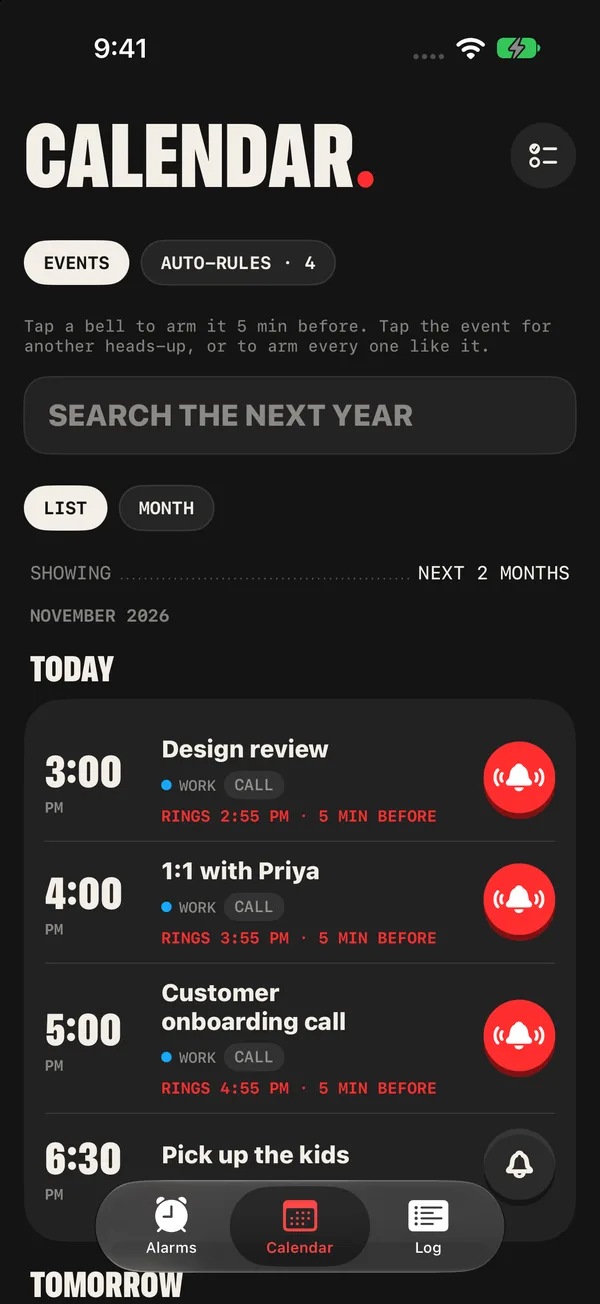
The Calendar tab listing today's events, each with a bell that arms an alarm in one tap
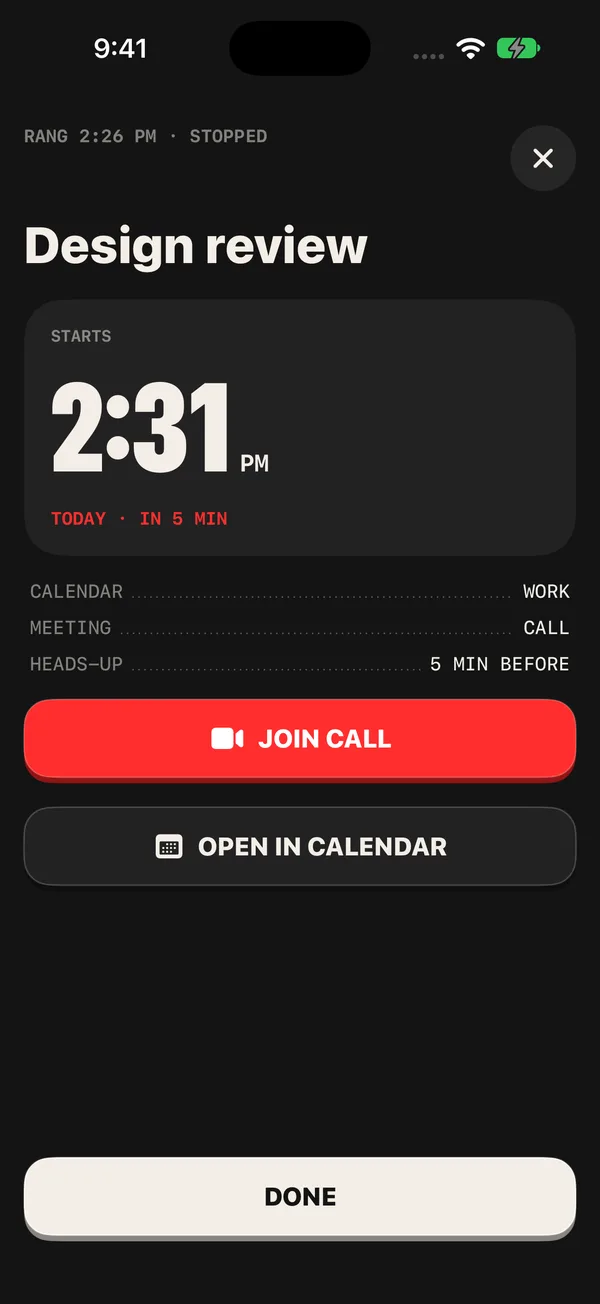
The card for an alarm that just rang, with the event's start time, a Join button and Open in Calendar
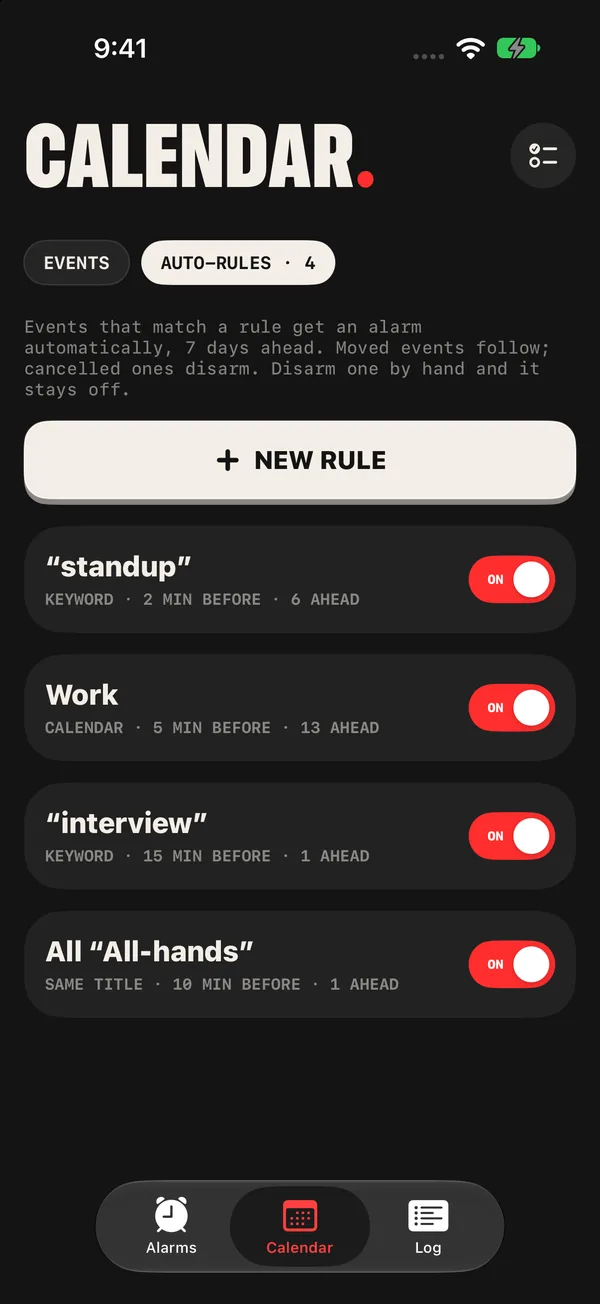
Auto-rules in the Calendar tab, one line per rule, with a keyword rule for standup
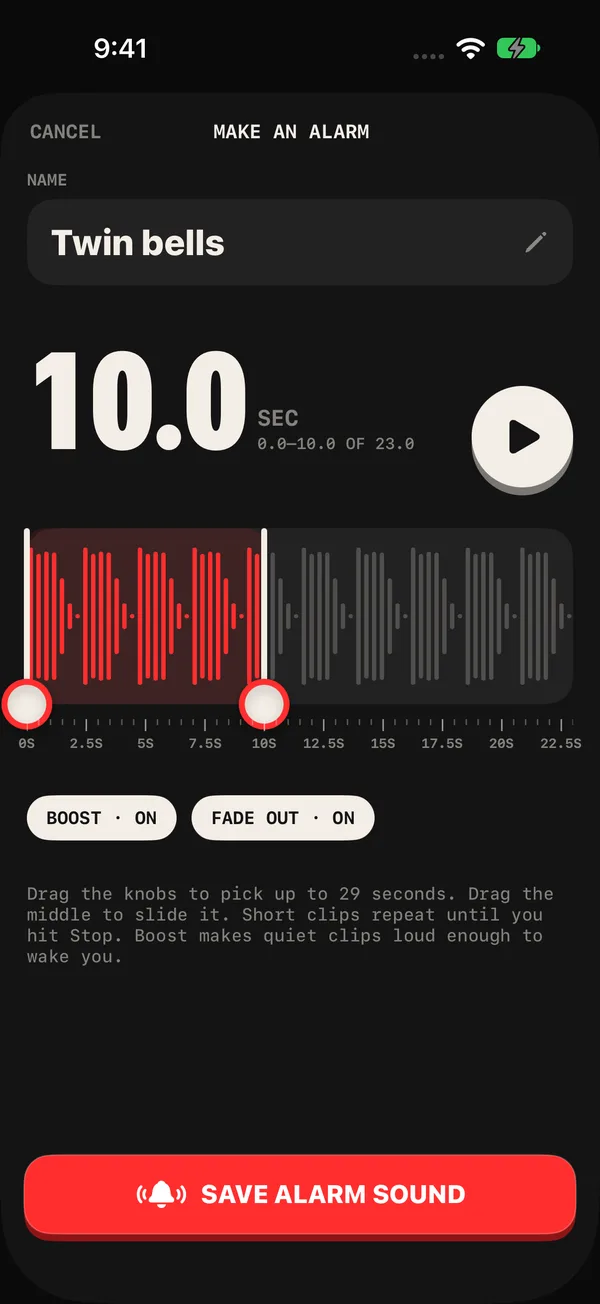
Sound editor trimming a custom alarm sound, with boost and fade out
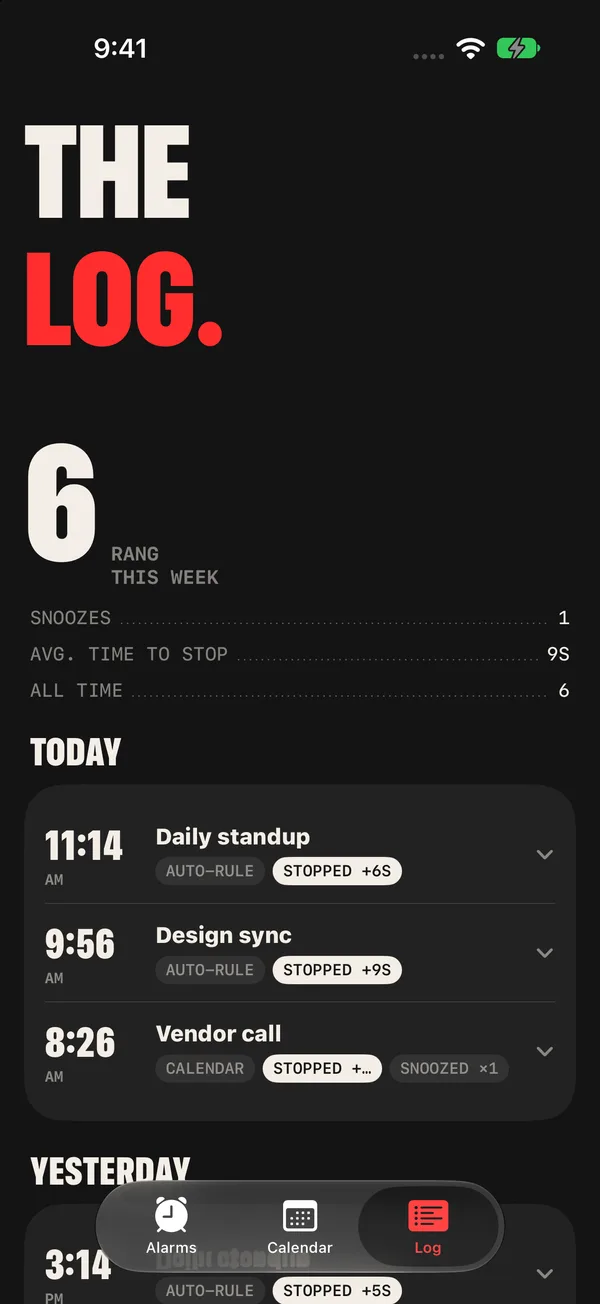
The log of alarms that rang today, with snoozes and time to stop
// under a minute

Klaxon in under a minute.

Arm an event with one tap, let rules arm your standups, set a timer, and see what rang. The app screens are recorded from the real app with a sample calendar; the Lock Screen and the ringing alarm are drawn for the video.

Sample calendar · 1080p · narrated
// what it does

For the meetings you can't be late to.

Alarms for your calendar

  • Browse every event up to a year ahead, as a list or a month grid, and search the whole year.
  • Tap the bell on an event and it's armed, with your usual heads-up. Undo appears if you slip.
  • Tap the event to choose another heads-up: at the start, 5 minutes to an hour before, 1 or 2 days, a week or a month before, or a custom time.
  • From the same sheet, arm every event with the same title, or everything on a calendar.
  • Turn off any calendar you don't want Klaxon to watch.

Auto-rules

  • Rules sit next to your events. Make one from a keyword ("standup"), an exact event title, or a whole calendar, each with its own heads-up and sound.
  • Matching events are armed for you. Moved events follow, deleted events disarm, and an alarm you turn off by hand stays off.
  • Rules look 3, 7 or 14 days ahead.

Alarms for everything else

  • One screen for a new alarm: spin to a time, or tap a length from 1 minute to 2 hours for a countdown timer.
  • One-tap quick timers, always in reach: 5, 10, 15, 30 and 60 minutes.
  • Home Screen and Lock Screen widgets for your next alarm, today's events and quick timers.
  • Snooze on or off, with the length you pick. Countdowns show on the Lock Screen and in the Dynamic Island.

Get there on time

  • When an alarm goes off, open Klaxon for a full card: what it's for, when the event really starts, and where.
  • Events with a link from a common video meeting service get a Join button on their alarm.
  • Events with an address get a Directions button that opens your maps app.

Sounds

  • 10 built-in tones made for this app, from a gentle marimba to a buzzer, plus the system alarm sound, or no sound at all.
  • Make your own: record it, pull the audio from a video, pick a file, or download one from a short list of free sound-effect sites inside the app.
  • Trim it, boost it, fade it out, and test it as a real alarm in 10 seconds.

The log

  • Every alarm that rang, grouped by day, with when you pressed Stop and how many times you snoozed.
  • Weekly stats on top.
  • Four themes, each with a matching app icon, and a 3D alarm clock whose hands point to your next alarm.
// privacy

Your calendar is read here, and stays here.

There is no Klaxon server. Faraday Soft never receives your events, your alarms or your sounds.

Stays on your device

  • Your calendar events. Klaxon reads them on the device and never uploads or changes them.
  • Your alarms, rules, the log and your recorded sounds.
  • No account, no ads, no analytics, no tracking.

Only when you tap it

  • Find sounds: browse a fixed list of free sound-effect sites and download a sound you pick.
  • Sound packs: if you add a pack link, Klaxon downloads those files from it.
  • Join and Directions: open your meeting app or maps app, which handle it under their own policies.
// faq

Questions.

Will it really ring when my phone is on silent?

Yes. Klaxon schedules system alarms through iOS, the same kind the Clock app uses, so they ring through silent mode and Focus and show full screen with Stop and Snooze. To check on your own phone, open Settings (the sliders icon on the Alarms tab) and tap Test alarm in 10 sec.

Does Klaxon change my calendar?

No. It only reads event titles, times, locations and meeting links to show what's coming and arm the alarms you ask for. Your events are never edited or uploaded.

What happens when a meeting moves or gets cancelled?

Alarms armed by a rule follow the event to its new time, and a deleted event's alarm is turned off. An alarm you turned off by hand stays off.

Which devices does it work on?

Any iPhone or iPad on iOS 26 or iPadOS 26 or later. The system alarm feature Klaxon uses arrived in that release.

Does it cost anything?

No. Klaxon is free, with no purchases, subscriptions or ads.
Try the beta.

Klaxon is in TestFlight while it waits for the App Store. Questions or bugs: support@faradaysoft.com.

The TestFlight link opens once Apple approves the beta.