Recon app icon
Recon for iPhone & iPad · by Faraday Soft

See every device on your Wi-Fi.

Recon finds what's connected to your home or office network, works out what each device is, and shows what it has open. Then open it in the right tool, right from your phone.

The TestFlight link opens once Apple approves the beta. App Store soon. Free, no purchases. iPhone, iPhone Duo and iPad.
// screens

Your network, device by device.

Shown with a sample network. Swipe for more

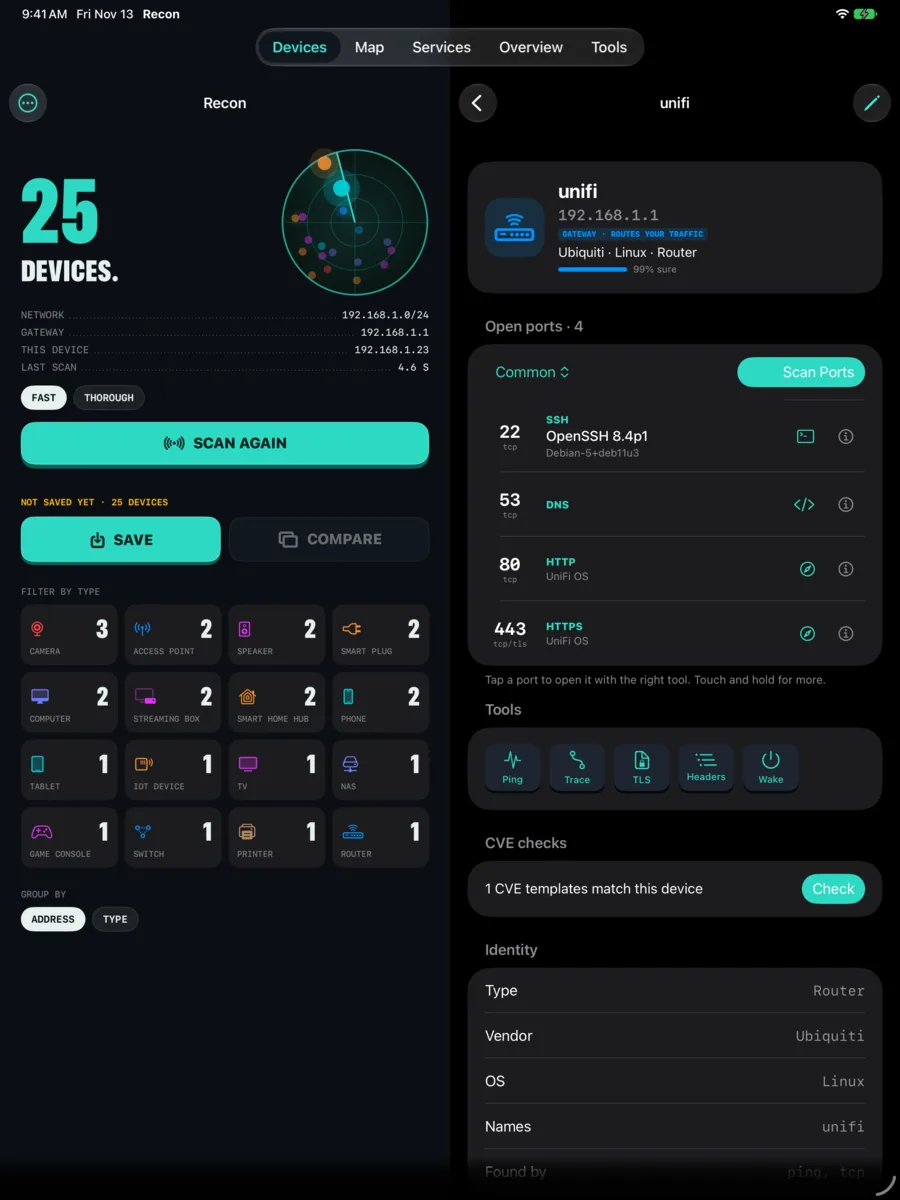
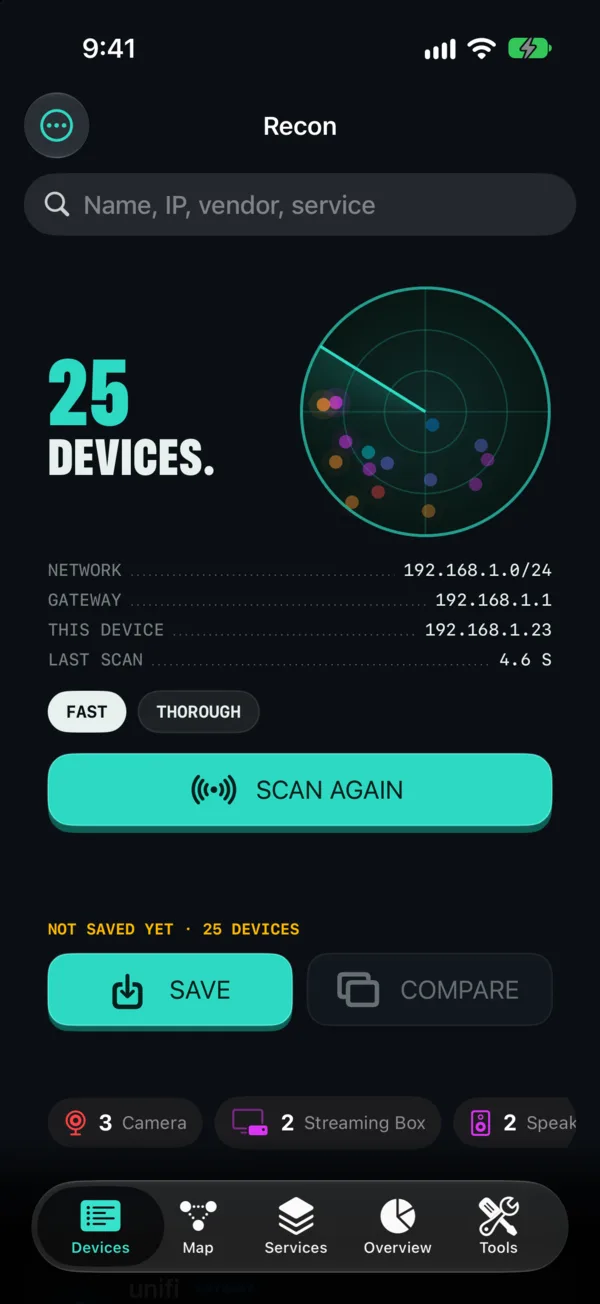
Devices screen: 25 devices found, with a radar, network details and a Scan Again button
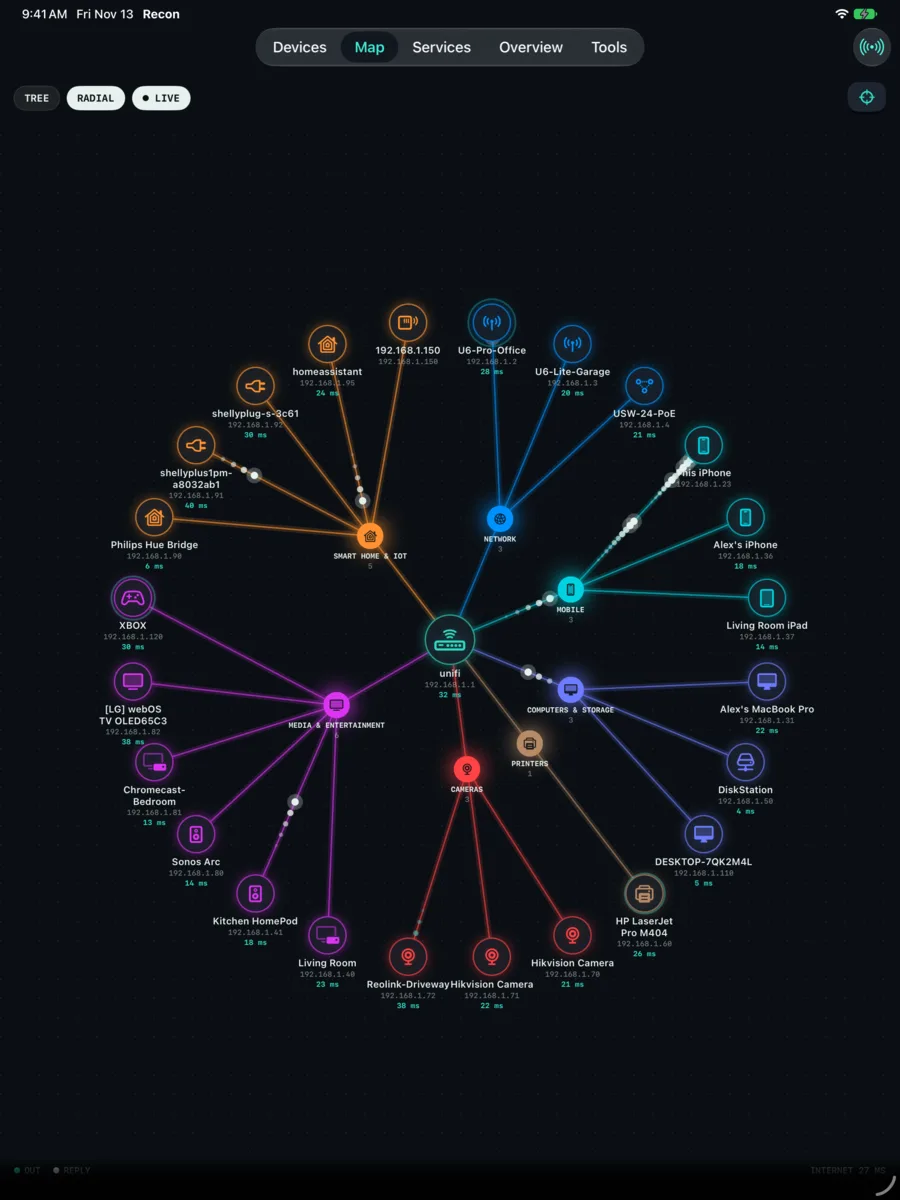
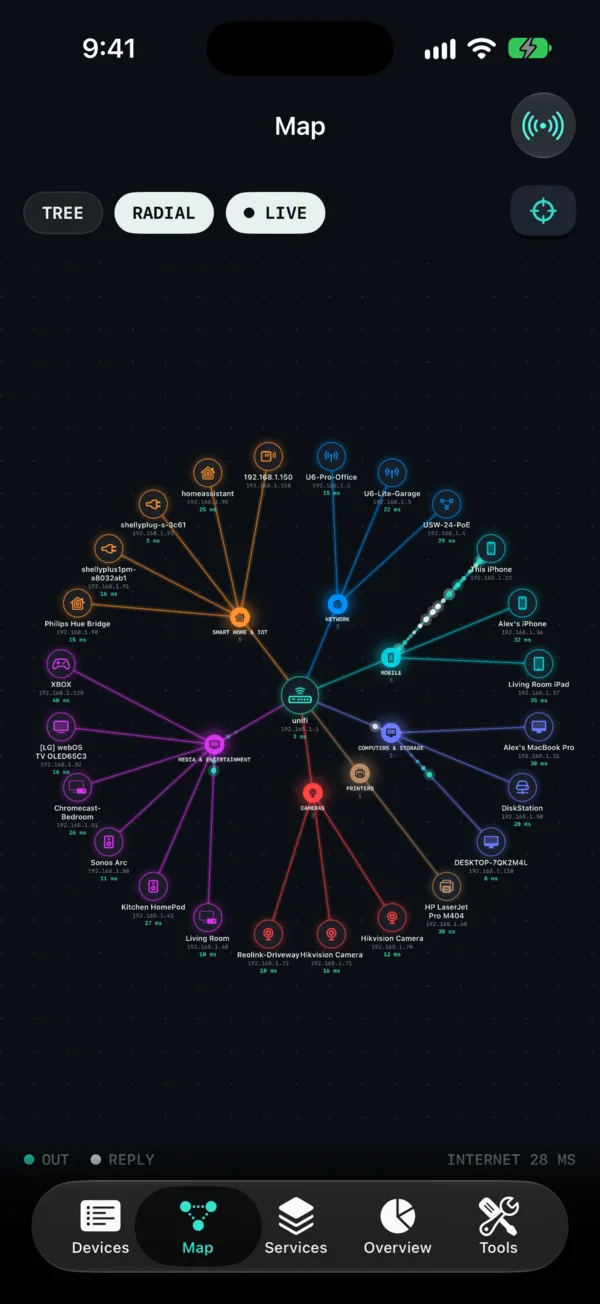
Radial network map grouping devices under the router, with live reply times
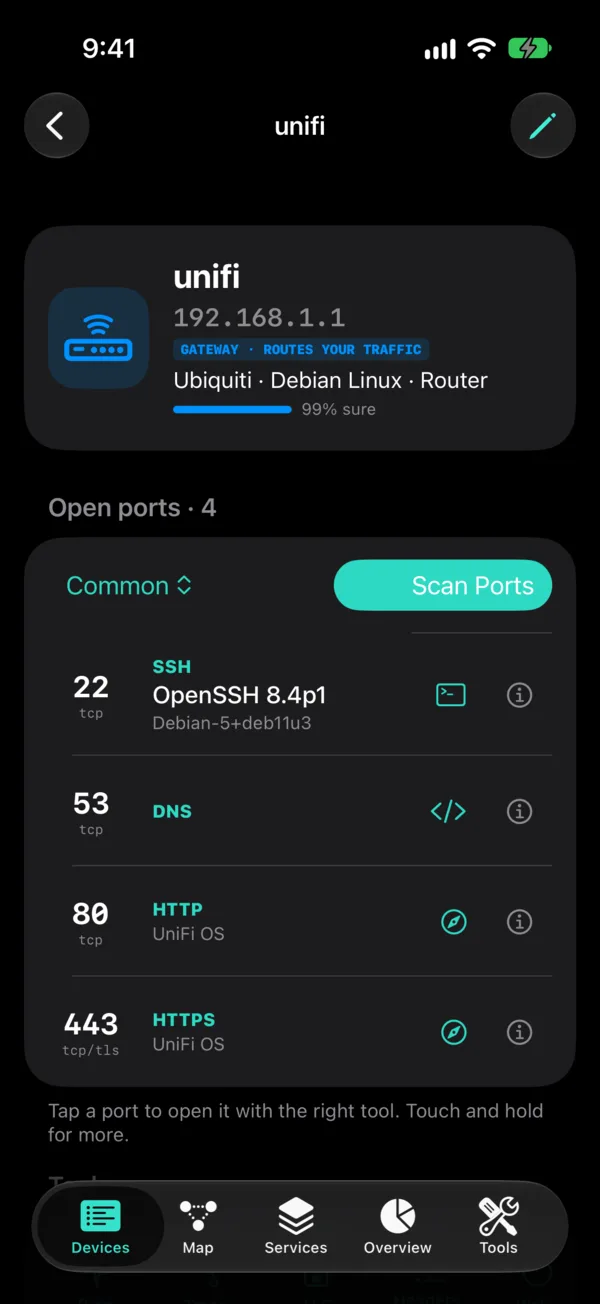
Device detail for the router with its open ports, services and versions
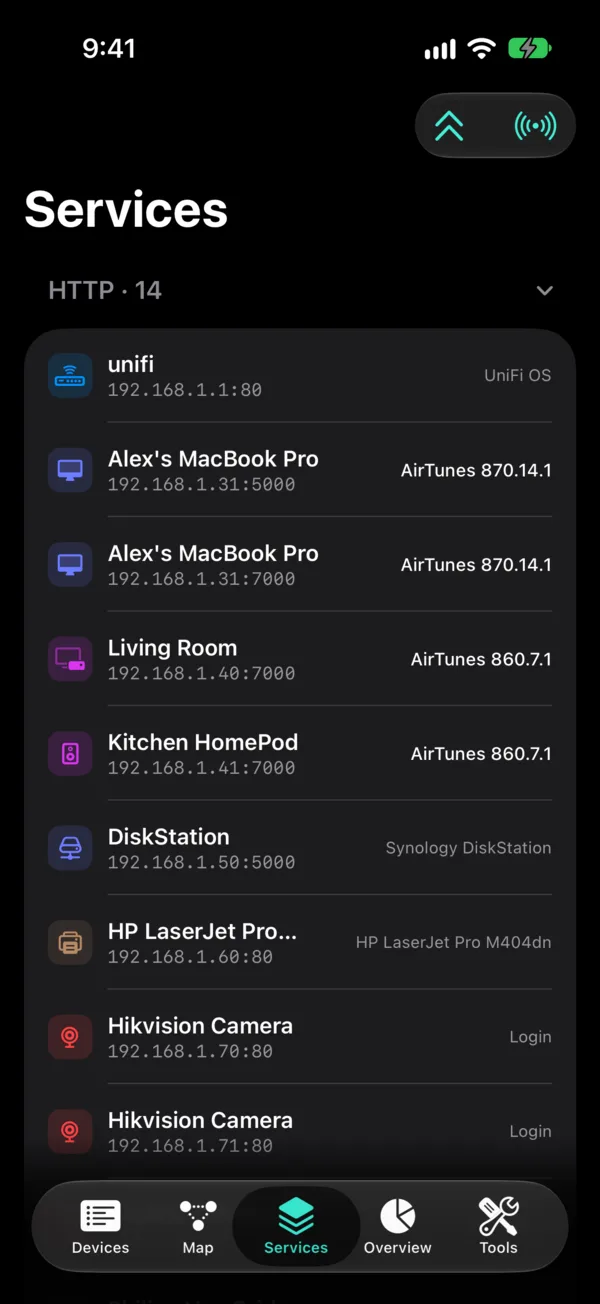
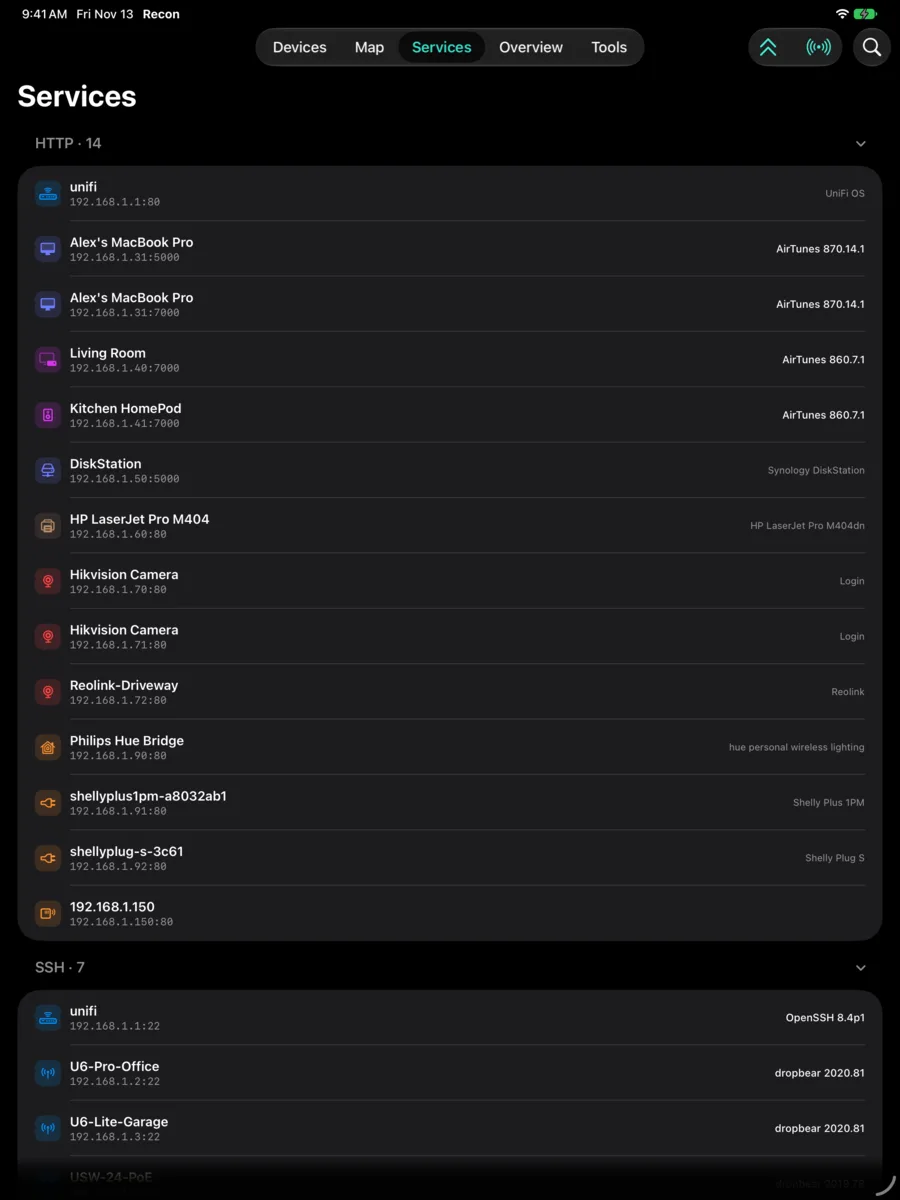
Services list of every web page and server on the network
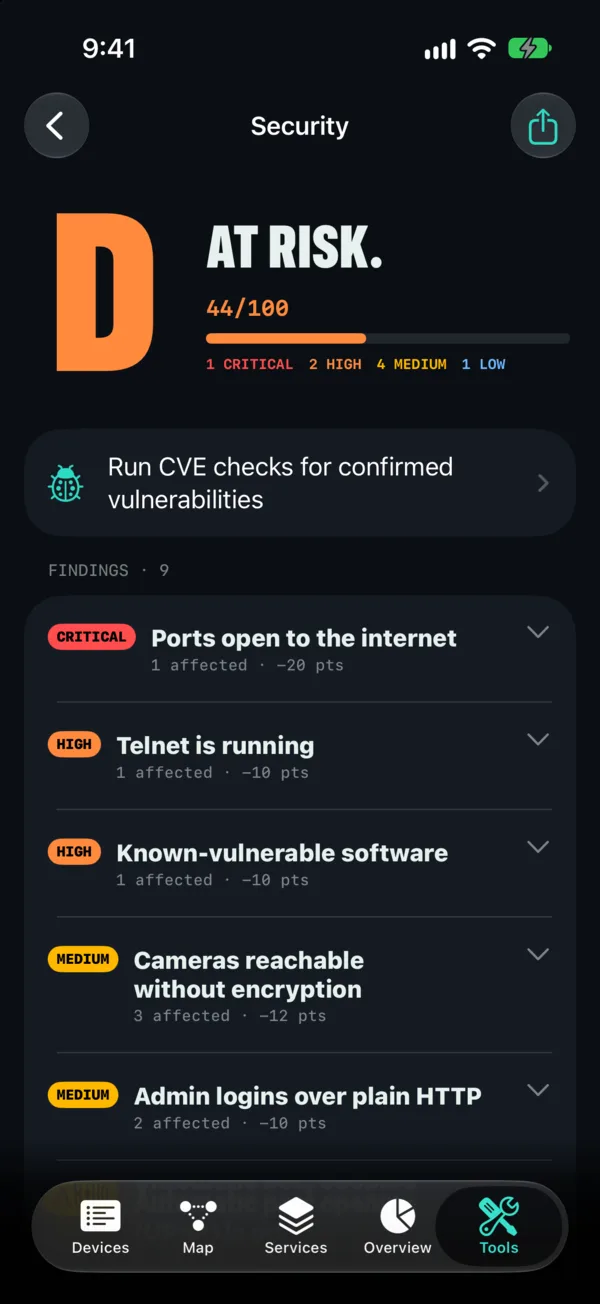
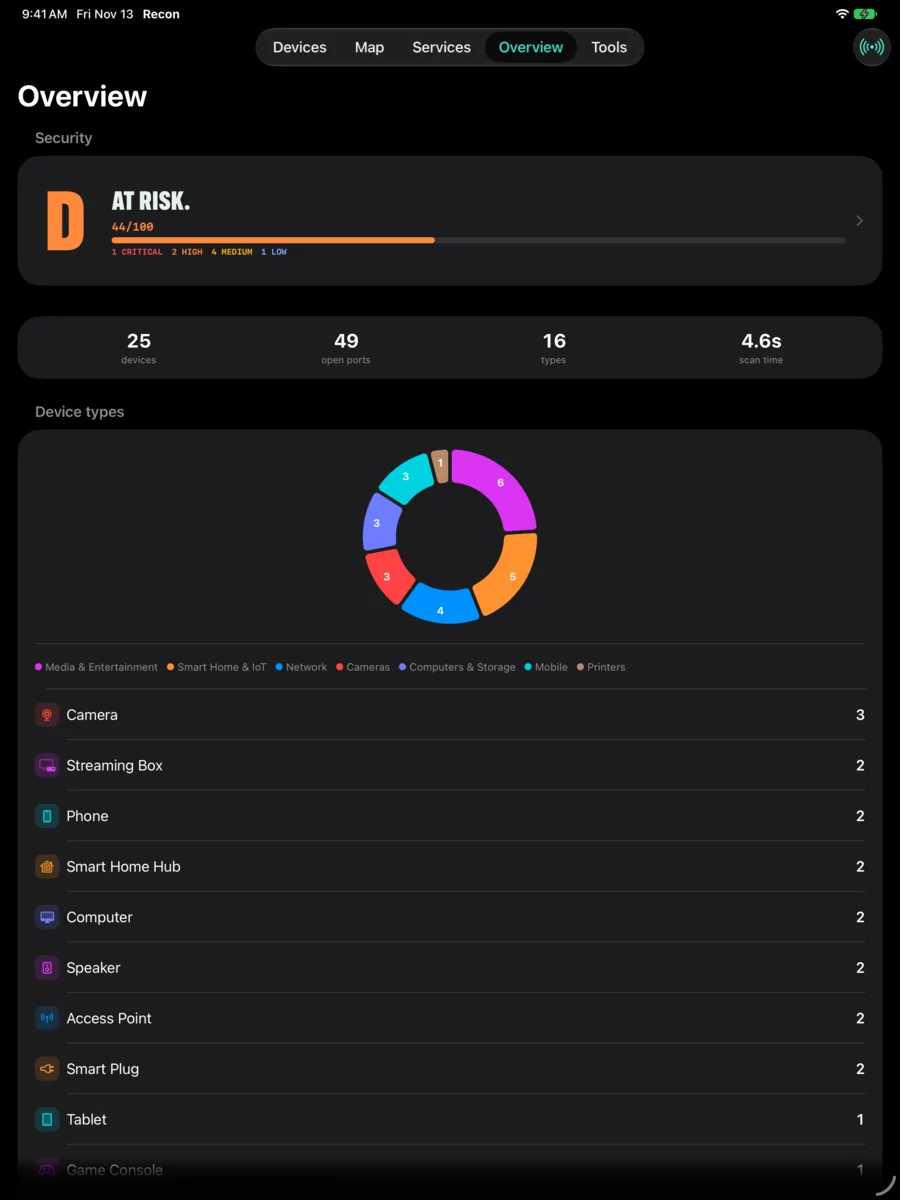
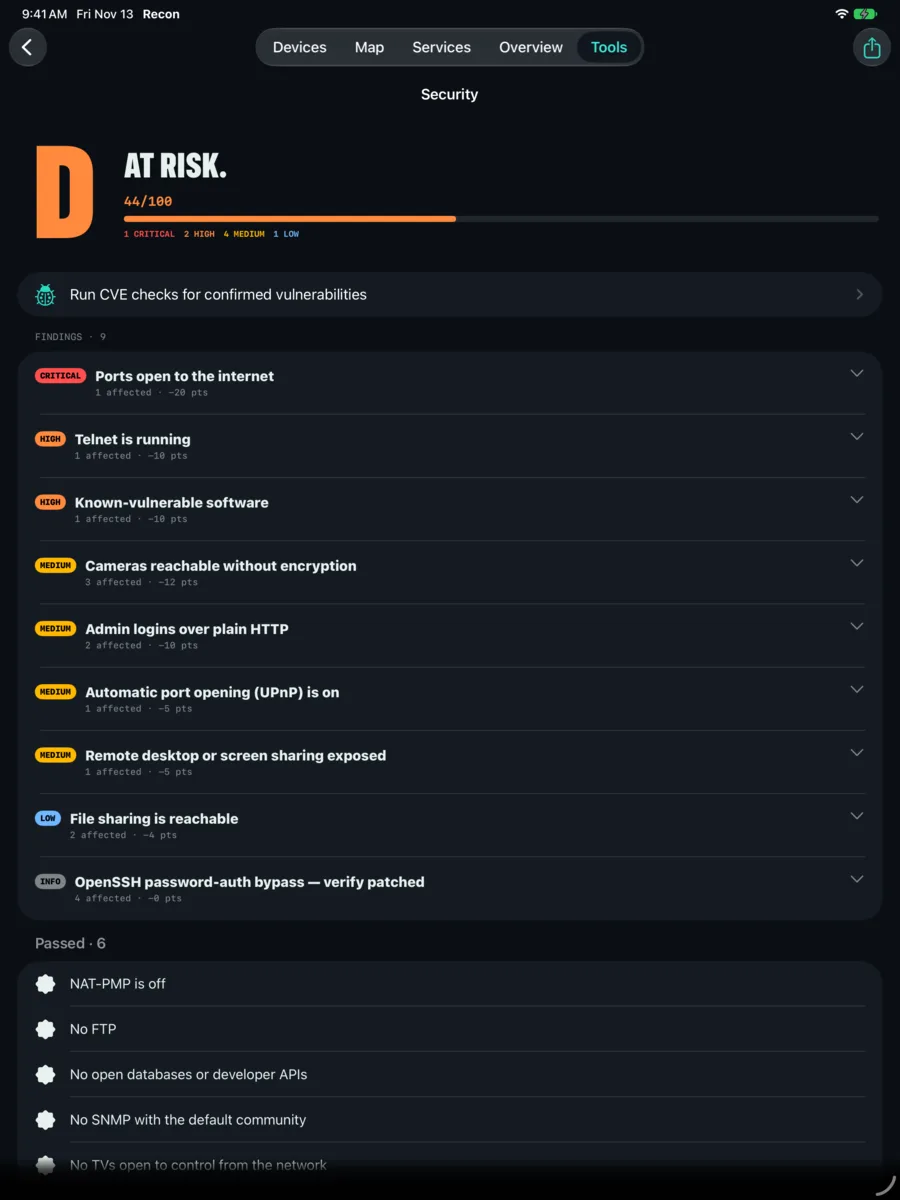
Security grade D, at risk, with issues such as ports open to the internet and Telnet running
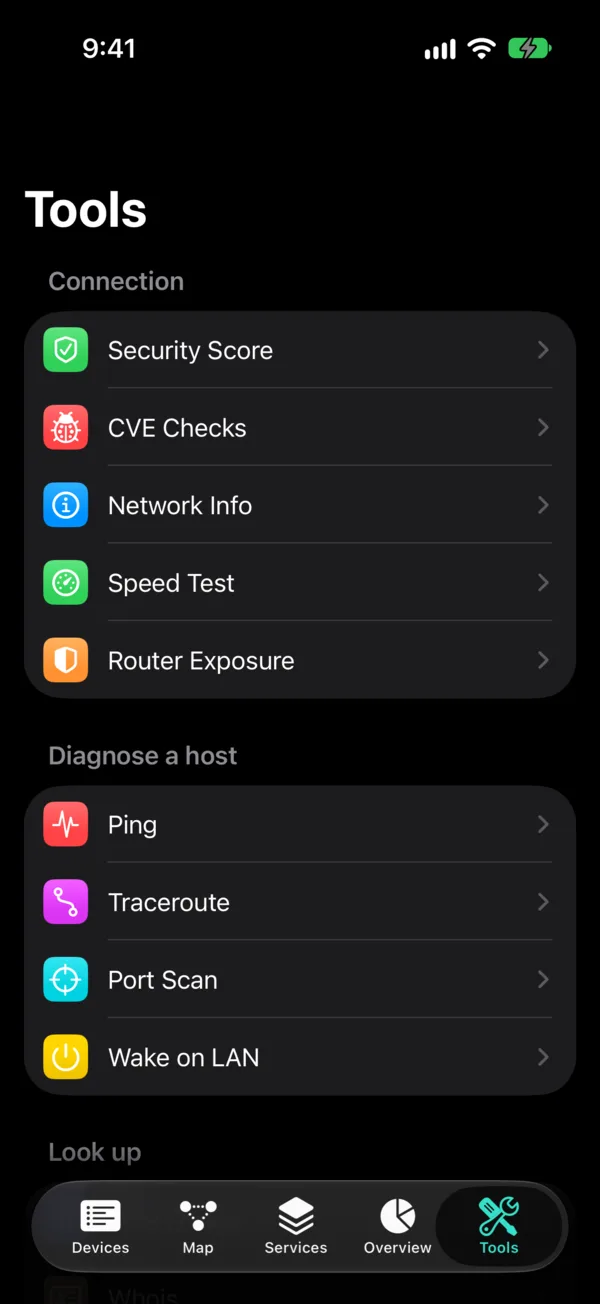
Tools list: security score, CVE checks, network info, speed test, router exposure, ping, traceroute, port scan, Wake on LAN
// made for iPhone duo

Three ways to hold it, three layouts.

On iPhone Duo, Recon reads the hinge and changes its layout as you fold and unfold it.

FoldedA one-handed scanner

The scan header on top, every device in a list below it. Scan, scroll, tap a device, all with one thumb.

Half openScan on one half, explore on the other

The scan console stays put on one half while the map, the services list or the overview fills the other, so you can rescan without losing your place.

Fully openConsole left, results right

The scan console on the left and everything it found on the right, split exactly at the crease.

And a full layout on iPad.

On iPad the device list and the selected device sit side by side, with the map, services, overview and security grade a tab away. Swipe for more

iPad: device list beside the selected device's details
iPad: radial network map grouping devices under the router
iPad: services list
iPad: overview with security grade, counts and a device type chart
iPad: security grade with each issue listed
// under a minute

Scan, tap, open.

A scan, the device list, a device's open ports, the live network map, the services list, the security grade, and the Tools tab. The app is recorded in the iOS Simulator with sample data, because the simulator has no other devices on its network.

Sample network, not a real scan · 1080p · narrated
// what it does

Find it, read it, open it.

A tool for checking your own network: your router, TVs, printers, cameras, phones, storage and smart home gear.

Find everything

  • Tap Scan and Recon checks the local subnet your iPhone or iPad is on. Results appear as they come in.
  • Each device gets a name and a type (router, camera, printer, TV, NAS, phone, speaker and more), with the clues that led to it.
  • Fast mode takes a few seconds. Thorough mode checks more ports on every device.
  • Rename devices, change icons, add notes. New devices get a NEW badge; ones that left show as offline.

See what each device runs

  • Open ports with the service and version, page titles and certificate details.
  • A network map that groups devices under your router, with live reply times.
  • A services view listing every web page, SSH server, file share and printer on the network.

Open it in the right tool

  • Web admin pages open in a built-in browser.
  • SSH and Telnet open in a built-in terminal, with key login.
  • Camera streams (RTSP and MJPEG) open in a built-in viewer.
  • Anything else opens in a raw TCP or TLS console, or in another app on your device.

Check your network's health

  • A security grade for what the scan found, such as Telnet left on, router port forwards, or old software versions.
  • A router exposure check listing the port forwards your router has opened to the internet.
  • Optional checks for known vulnerabilities in the software your devices report, using public detection templates.

Network tools

  • Network info: addresses, gateway, DNS servers and your public IP.
  • Ping, traceroute, DNS lookup, whois, TLS certificate and HTTP header inspection.
  • Speed test, Wake on LAN, a subnet calculator, and a port scan for any host you enter.

Keep a record

  • Save scans, load them later, and compare a new scan with an old one to see what changed.
  • Export results as CSV, JSON or Markdown.
// privacy

Your scan results stay with you.

There is no Recon server. Scans run only when you start them, only on the local network you're connected to, and Faraday Soft receives none of what they find.

Stays on your device

  • Scan results, device names, notes and saved scans.
  • SSH keys and logins you add, kept in the iOS Keychain and used only for hosts you pick.
  • No account, no sign-up, no ads, no analytics, no tracking.

Reaches the internet only for tools you use

  • Public IP lookup: asks a lookup service for your public address and its approximate location.
  • Speed test: sends and receives test data with a speed test server.
  • Vulnerability checks: downloads a public library of detection templates. They're data, not code.
  • DNS and whois: query public resolvers and registry servers when you run them.
// faq

Questions.

Which networks can I scan?

Networks you own or have permission to check. Recon only scans the local Wi-Fi network your device is connected to, and only when you tap Scan. The port scan tool can target a host you type in, so the same rule applies there.

Why does it ask for Local Network access?

iOS requires it before any app can talk to other devices on your Wi-Fi. Without it, Recon can't find anything. If you said no by mistake, turn it on in iOS Settings under Privacy & Security, Local Network.

Does it work on cellular?

The scan needs Wi-Fi, since it looks at the devices on the network you're joined to. Tools like ping, DNS lookup and whois work on any connection.

Does Recon change anything on my devices?

A scan only looks: it checks which ports answer and reads what they say about themselves. The optional vulnerability checks skip anything tagged intrusive by default. Changes happen only if you log in to a device yourself through the browser or terminal.

Does it cost anything?

No. Recon is free, with no purchases, subscriptions or ads.

Try the beta.

Recon is waiting for the App Store, and its TestFlight beta is waiting for Apple. Questions or bugs: support@faradaysoft.com.

The TestFlight link opens once Apple approves the beta.