How do I make a calendar event ring like an alarm on my iPhone?
A calendar notification is a banner, and a banner is easy to swipe away or miss when your phone is on silent. To get a real alarm, use an app that schedules system alarms for your events. Klaxon, from Faraday Soft, lets you tap a bell on any event so it rings through silent mode and Focus, the same way the Clock app's alarms do, on iOS 26 or later.
Step by step
You need an iPhone or iPad on iOS 26 or iPadOS 26 or later. The system alarm feature Klaxon uses arrived in that release.
- Install Klaxon and allow calendar access. Klaxon reads event titles, times, locations and meeting links on the device. It never changes or uploads your events.
- Open the Calendar tab and tap the bell on an event. It's armed with your usual heads-up. Undo appears if you slip.
- Choose a different heads-up if you need one. Tap the event and pick at the start, 5 minutes to an hour before, 1 or 2 days, a week or a month before, or a custom time. From the same sheet you can arm every event with the same title, or everything on a calendar.
- Let rules handle repeat meetings. Make a rule from a keyword such as “standup”, an exact event title, or a whole calendar, each with its own heads-up and sound. Matching events are armed for you.
- Test it. Put your phone on silent, open Settings (the sliders icon on the Alarms tab) and tap Test alarm in 10 sec.
- When it rings, open Klaxon for a full card: what it's for, when the event really starts, and where. Events with a link from a common video meeting service get a Join button, and events with an address get Directions.
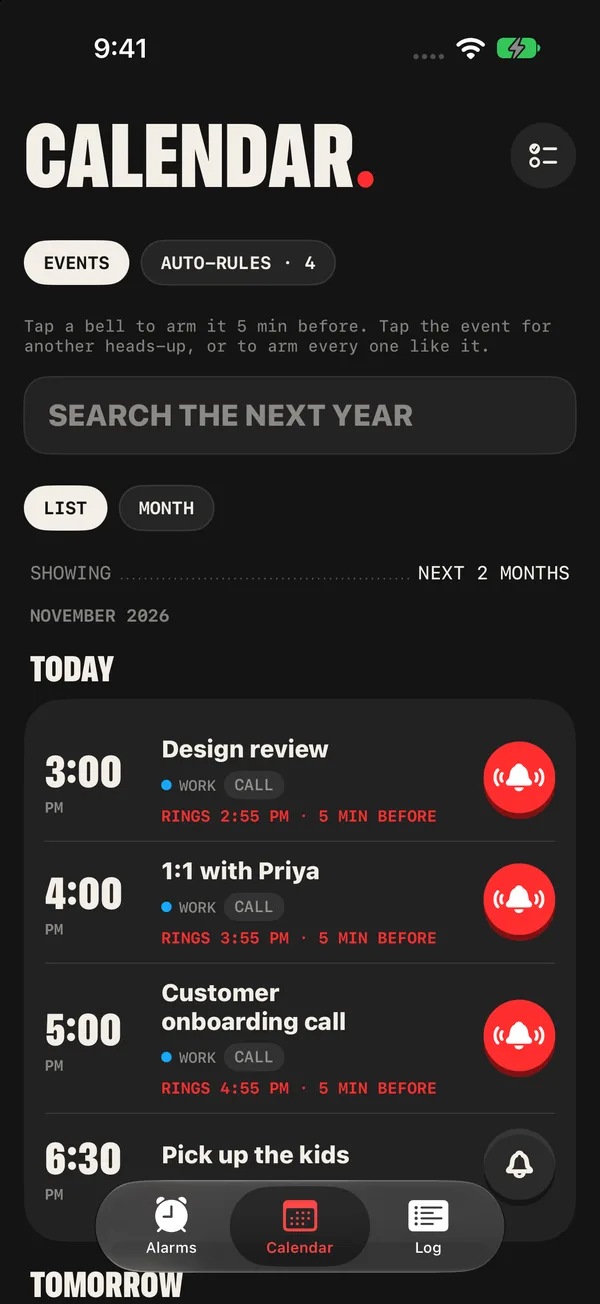
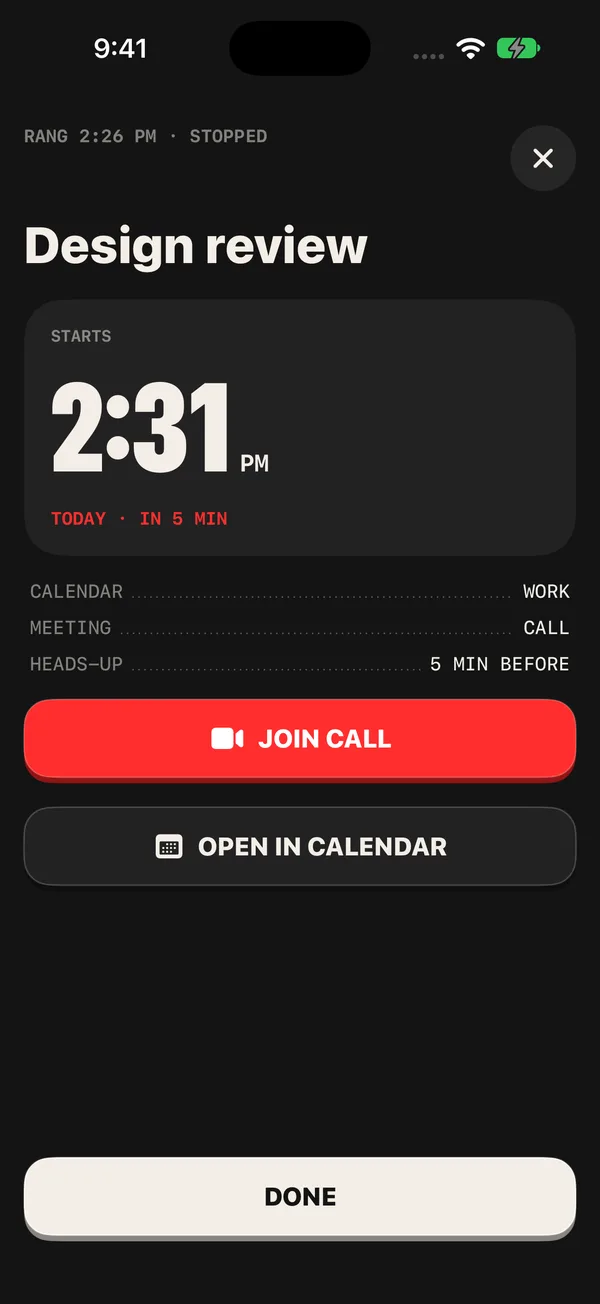
Shown with sample events
Why a notification isn't enough
A notification is built to be quiet when you ask your phone to be quiet. An alarm is built to get through. If you've missed a meeting with your phone face down on silent, that's usually why. A few habits help, whichever app you use.
- Save alarms for what you can't miss. If everything rings, you start ignoring it. Arm the interview, the flight, the school pickup, and leave the rest as ordinary notifications.
- Match the heads-up to the trip. Five minutes is fine for a video call. An event across town needs time to get there.
- Check moved meetings. In Klaxon, alarms armed by a rule follow the event to its new time, and a deleted event's alarm is turned off. An alarm you turned off by hand stays off.
- Test before it matters. Run a test alarm with the phone on silent and a Focus on, so you know what you'll hear.
Your calendar is read on the device and never leaves it. There is no Klaxon server. Klaxon goes online only when you ask: the Find Sounds browser for a short list of free sound-effect sites, sound pack links you add, and Join or Directions, which open your meeting or maps app. Details are in the Klaxon privacy policy.
Questions
Will it really ring when my phone is on silent?
Yes. Klaxon schedules system alarms through iOS, the same kind the Clock app uses, so they ring through silent mode and Focus and show full screen with Stop and Snooze.
Does Klaxon change my calendar?
No. It only reads event titles, times, locations and meeting links to show what's coming and arm the alarms you ask for. Your events are never edited or uploaded.
What happens when a meeting moves or gets cancelled?
Alarms armed by a rule follow the event to its new time, and a deleted event's alarm is turned off. An alarm you turned off by hand stays off.
Which devices does it work on?
Any iPhone or iPad on iOS 26 or iPadOS 26 or later. The system alarm feature Klaxon uses arrived in that release.
Can I use my own alarm sound?
Yes. Pick one of 10 built-in tones or the system alarm sound, or make your own: record it, pull the audio from a video, pick a file, or download one from a short list of free sound-effect sites inside the app.
Get Klaxon.
Needs iOS 26 or later. Questions: support@faradaysoft.com
Change your Tesla's lock sound from your iPhone
Make a lock sound, put it on the car's USB drive from your phone, and switch it on in Toybox.
Lock Chimes · iPhone · iPad ·
Dictate on a Mac without sending audio to the cloud
Talk and have the words typed at your cursor, with speech recognition running on the Mac itself.
Voice · Mac ·